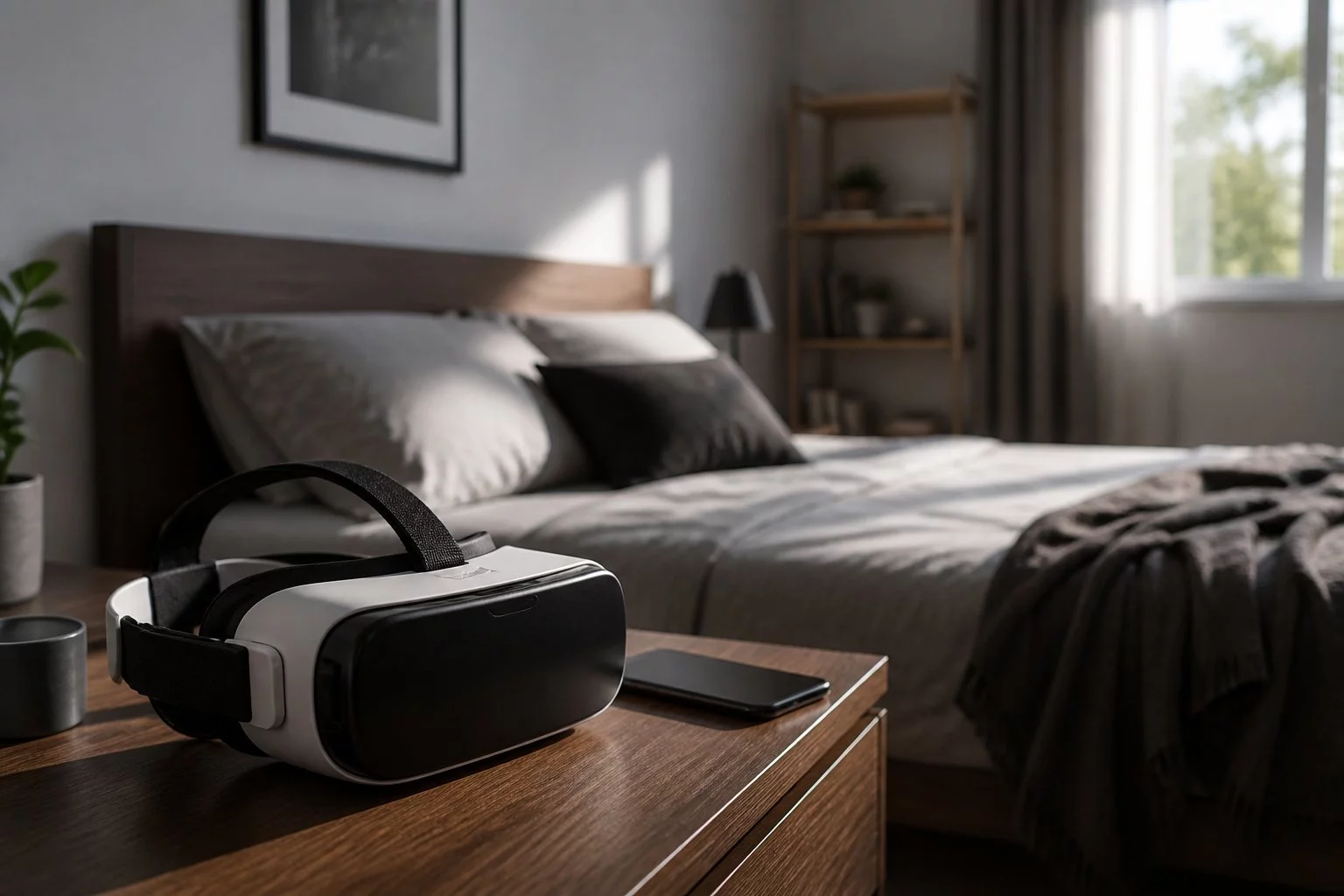
Will VR Porn Take Over Your Room?
VR Porn Setup at Home: Space, Headsets & Privacy
VR Porn Setup at Home: Space, Headsets & Privacy
How much space do you need for a VR porn setup at home? Usually much less than you would need for room-scale VR gaming. For seated live webcam viewing, a stable chair, clear space around your head and arms, a compatible headset and a reliable internet connection may be sufficient. You generally do not need a dedicated VR room.
The important distinction is between watching video while seated and physically moving around a virtual environment. Many adult VR videos and compatible live webcam streams can be watched from one position, provided your headset is configured safely.
This practical guide covers room preparation, stationary boundaries, Meta Quest 3 setup, headset comfort, Wi-Fi requirements, privacy and common playback problems. It also explains why watching a standard 2D webcam stream inside a headset is not the same as watching immersive VR180 or VR360 video.
VRStrip.Cam is an independent adult webcam affiliate directory intended for visitors aged 18 and over. We help visitors discover broadcasts hosted by third-party streaming platforms rather than operating our own streaming service.
How Much Space Do You Need for VR Porn at Home?
For most seated adult video-viewing experiences, you need enough clear space to sit comfortably, turn your head and move your arms without striking nearby objects.
There is no single minimum room dimension suitable for every headset and viewing mode. The space required depends on your device, its safety system and whether you intend to remain seated or move around.
| Viewing Setup | Space Needed | Best Suited To |
|---|---|---|
| Phone or laptop | No VR movement area required | Conventional 2D webcam viewing |
| Seated VR headset | Clear space around the chair, head and arms | Stationary immersive video viewing |
| Standing VR headset | Unobstructed floor space with stable footing | Compatible standing experiences |
| Room-scale VR | A larger clear area suitable for physical movement | Interactive applications involving walking or reaching |
For live VR webcam viewing, seated mode is usually the simplest option. You do not normally need to walk around your room to change the viewing direction in compatible panoramic video. Turning your head is generally sufficient.
Always follow the boundary and clearance requirements specified by your headset manufacturer.
Can You Watch VR Porn in a Small Bedroom?
Potentially, yes. A small bedroom may be suitable for seated VR viewing if there is enough unobstructed space around your chair and headset.
Check nearby wardrobes, shelves, lamps, bedside tables and walls before putting on the headset. Objects at head or arm height can be hazards even when the floor appears clear.
Do You Need a Dedicated VR Room?
No. A dedicated room is generally unnecessary for stationary video viewing.
A suitable chair in a bedroom, study or another private space may be enough, provided the environment meets your headset's safety guidance.
What Is a Stationary VR Boundary?
A stationary VR boundary is a safety arrangement intended for experiences in which the headset wearer remains in approximately the same physical position.
Some Meta Quest headsets provide stationary and room-scale boundary options. The exact interface and available settings can change between headset models and software versions.
How to Prepare a Stationary Viewing Area
- Choose a stable chair. Avoid seating that rolls, swivels unexpectedly or encourages you to lean into nearby furniture.
- Clear the surrounding space. Move loose cables, drinks and fragile objects away from the viewing area.
- Check head clearance. Make sure you can turn your head without hitting walls, shelves or lamps.
- Configure the boundary. Follow your headset's instructions for seated or stationary use.
- Test your movement. Before starting playback, check that normal head and arm movements are comfortable and unobstructed.
A headset's boundary system cannot be relied upon to detect every nearby obstacle, person or pet. Maintain awareness of your physical surroundings.
Stationary VR vs Room-Scale VR
Stationary viewing keeps you in one place, making it practical for watching compatible videos. Room-scale VR is intended for applications that involve greater physical movement.
Unless a particular experience explicitly requires physical movement, room-scale setup is usually unnecessary for watching live adult webcam streams.
VR Porn Home Setup Checklist
Before opening a live webcam stream, check these essentials.
| Essential | What to Check |
|---|---|
| Viewing space | Clear surroundings, headroom and no loose obstacles |
| Chair | Stable, comfortable and positioned away from nearby furniture |
| Headset | Charged, properly fitted and configured for seated viewing |
| Internet | Stable Wi-Fi with adequate performance for the selected stream |
| Browser or player | Compatible with the originating streaming platform |
| VR format | Confirmed support for immersive playback where desired |
| Audio | Comfortable volume and appropriate privacy |
| Account privacy | Review saved logins, browsing information and permissions |
You do not necessarily need additional furniture, external sensors or a gaming computer for a compatible standalone-headset viewing experience. Requirements depend on your headset and the streaming platform.
Preparing Your Room for Comfortable VR Viewing
A practical home VR setup is less about rearranging your entire room and more about reducing nearby hazards and distractions.
Choose a Comfortable Chair
A stable chair with suitable back support can help you remain comfortable during seated viewing.
Position it far enough from walls and furniture that you can move your head naturally without contact.
Clear Furniture and Cables
Move drinks, loose cables, fragile decorations and other objects away from your immediate viewing area.
Pay particular attention to shelves, lamps and furniture corners at head height.
Consider People and Pets
Someone entering the room may not be immediately visible while you are wearing a headset.
Choose a space where unexpected interruptions are less likely and where other people and pets can move safely.
Keep an Easy Exit Available
Make sure you can remove your headset promptly and have a safe place to put it down.
A headset should never prevent you from responding to your surroundings or taking a break when needed.
Choosing and Fitting a VR Headset at Home
Headset fit and visual clarity can have a greater effect on comfort than the overall size of your room.
A poorly adjusted headset may cause blurred images, facial pressure or unnecessary discomfort.
Adjust the Head Strap
Follow the manufacturer's fitting instructions so the headset feels secure without excessive pressure.
Check that the weight is reasonably balanced and that the device does not slip during normal head movements.
Set the Lens Position
Some headsets provide adjustable lens spacing or eye relief.
Use the controls available on your model to achieve a clear, comfortable image. Do not force adjustments beyond the manufacturer's specified range.
Check Glasses and Prescription-Lens Compatibility
If you normally wear glasses, check whether your headset accommodates them or supports prescription-lens inserts.
Follow the manufacturer's clearance guidance to avoid contact between lenses.
Take Breaks When Needed
Stop viewing if you experience dizziness, nausea, eyestrain or other discomfort.
Follow the headset manufacturer's safety advice for viewing duration and breaks.
Internet and Wi-Fi Requirements for Live VR Porn
Live adult webcam broadcasts depend on a stable internet connection. Higher-resolution and immersive formats may require more bandwidth than lower-quality conventional streams.
There is no universal internet-speed requirement for every VR webcam platform. The necessary connection depends on the provider, video bitrate, resolution and playback format.
How to Improve Your Wi-Fi Connection
- Use a reliable network with adequate signal strength.
- Keep the headset within effective range of your router.
- Reduce unnecessary downloads or other heavy network activity during playback.
- Use a supported Wi-Fi band appropriate for your equipment and environment.
- Check the streaming provider's recommended connection requirements.
Why Does Live VR Porn Keep Buffering?
Buffering may result from weak Wi-Fi, network congestion, device limitations or the streaming provider's delivery system.
If available, try a lower playback quality, reduce competing network activity or move closer to your router.
Do not assume that purchasing a faster internet package will resolve every buffering issue.
How to Watch Live VR Porn at Home
Once your space, headset and connection are ready, the next step is finding a compatible broadcast.
Step 1: Browse Live Webcam Rooms
Visit VRStrip.Cam's live cam listings to explore currently available adult webcam broadcasts.
Step 2: Look for VR-Compatible Streams
Where available, use a VR-specific filter or look for a provider-supplied VR indicator on the room listing.
A VR badge does not independently guarantee 360-degree video, stereoscopic depth or compatibility with every headset.
Step 3: Confirm the Actual Video Format
Check whether the originating platform offers conventional 2D, panoramic VR180 or VR360, or stereoscopic playback.
The video format determines the type of immersion available.
Step 4: Open a Supported Browser or Player
Follow the hosting platform's instructions for your headset, browser or application.
Some services support headset-browser playback, while others may require a different supported viewing method.
Step 5: Select Immersive Mode Where Available
If the stream and device support immersive viewing, use the provider's designated VR playback controls.
If no compatible immersive mode is available, the video may remain a flat window inside your headset.
Step 6: Check Comfort and Audio
Before settling into the broadcast, check image clarity, headset fit, volume and your immediate surroundings.
Explore our VR-compatible cam listings for more live viewing options.
Why Some Webcam Videos Look Flat Inside a VR Headset
Watching a video through a VR headset does not automatically make the video immersive. The original video must use a compatible format, and the playback software must support it.
| Video Format | What You Experience |
|---|---|
| Standard 2D webcam | Flat video on a conventional screen |
| 2D webcam in a headset | A flat video window inside a virtual environment |
| VR180 | Compatible panoramic viewing across approximately 180 degrees |
| VR360 | Compatible panoramic viewing around the camera |
| Stereoscopic VR | Separate eye perspectives creating compatible visual depth |
Panoramic coverage and stereoscopic depth are separate features. VR180 and VR360 videos can be monoscopic or stereoscopic depending on how they were produced.
If a stream looks flat, the issue may be its source format rather than your headset settings.
Setting Up VR Porn on Meta Quest 3
Meta Quest 3 is a standalone headset that may be used to access compatible browser-based adult webcam services.
However, immersive playback depends on the originating platform, video format and browser compatibility.
Meta Quest 3 Home Viewing Checklist
- Charge the headset sufficiently for your planned session.
- Connect to a stable Wi-Fi network.
- Adjust the head strap and lens position.
- Choose a safe seated viewing area.
- Configure the appropriate boundary or safety settings.
- Open a supported browser or playback application.
- Check whether the selected broadcast offers a compatible immersive mode.
For more detailed device guidance, read our Meta Quest 3 porn viewing guide.
Quest menus and safety controls can change with software updates, so refer to Meta's current documentation for exact device instructions.
How to Watch VR Porn Privately at Home
Privacy involves more than choosing a quiet room. It also includes audio, browser settings, shared devices and the privacy practices of the streaming provider.
Keep Audio Private
Headphones can reduce the amount of sound audible to other people nearby.
Keep the volume comfortable and remain aware of your surroundings.
Review Browser History and Saved Accounts
Check browsing history, cookies, saved logins and account settings, particularly on shared devices.
Private-browsing modes may reduce some locally stored browsing information, but they do not make your activity invisible to websites, internet service providers or network operators.
Use Separate Profiles on Shared Headsets
If multiple people use the same headset, consider separate supported user profiles and review saved account information.
Sign out of streaming platforms when appropriate.
Check Camera and Microphone Permissions
Watching a conventional webcam broadcast does not require you to share your own camera or microphone.
Only grant those permissions when a supported communication feature requires them and you deliberately choose to use it.
Understand Private-Show Access
Some adult webcam platforms permit spectator or spy-mode viewing during certain paid private sessions.
A private booking does not automatically guarantee exclusive access. Review the provider's current privacy and session settings before paying.
Can You Watch VR Porn Without a Headset?
Many adult webcam platforms support conventional browser viewing on phones, tablets and computers without a VR headset.
However, watching a conventional 2D version of a broadcast is different from experiencing its compatible immersive format.
For someone new to adult webcam platforms, starting with ordinary browser viewing can be a practical way to understand room features before exploring headset compatibility.
See our guide to watching webcam shows on a phone for more information.
Common VR Porn Setup Problems and Fixes
If your home viewing experience is not working as expected, identify whether the problem relates to the headset, network, video format or streaming provider.
| Problem | What to Check |
|---|---|
| Blurry image | Headset fit, lens position, video resolution and stream quality |
| Video looks flat | Whether the stream supports immersive VR rather than ordinary 2D playback |
| Frequent buffering | Wi-Fi signal, network congestion and available playback quality settings |
| Headset discomfort | Strap tension, weight distribution, lens alignment and viewing duration |
| Audio is too quiet | Device volume, browser audio, mute settings and headphones |
| VR mode is unavailable | Provider support, browser compatibility and source video format |
| Boundary interruptions | Physical clearance, selected boundary mode and device safety settings |
| Playback stops unexpectedly | Network stability, headset power and originating platform status |
Why Is My VR Porn Video Blurry?
Blurriness can result from headset positioning, incorrect lens adjustment, a low-resolution source or network-related quality reduction.
First check whether headset menus and other content appear clear. If only one stream looks blurry, its source quality or playback format may be responsible.
Why Is There No Immersive VR Button?
The originating platform may not support immersive playback for that room, or the current browser or device may be incompatible.
Do not assume that every video advertised as VR offers a headset-specific immersive mode.
What If My Headset Makes Me Feel Dizzy?
Stop viewing and remove the headset safely. Rest before considering further use, and follow the manufacturer's safety guidance.
Do not continue viewing through significant discomfort.
Safe and Comfortable VR Viewing at Home
Physical safety and comfort should remain central to any home VR setup.
- Stay seated where practical: Avoid unnecessary movement while your view of the room is restricted.
- Clear nearby hazards: Check furniture, cables, drinks and fragile objects.
- Consider other people and pets: Do not rely entirely on the headset's boundary system.
- Follow manufacturer guidance: Use appropriate safety settings and fitting instructions.
- Take breaks: Stop if you experience dizziness, nausea or discomfort.
- Protect privacy: Review permissions and account information before using shared devices.
- Respect performer boundaries: Follow the originating streaming platform's rules.
- Respect content ownership: Do not record or redistribute broadcasts without authorisation.
Read our community guidelines for further information about respectful adult webcam viewing.
Will a VR Porn Setup Take Over Your Room?
Usually not, particularly if you plan to watch while seated.
A stable chair, clear space around your head and arms, a compatible headset and reliable internet connection may be sufficient for many live adult webcam viewing experiences.
You generally do not need a dedicated room or a room-scale gaming area.
The most important considerations are safety, comfort, privacy and confirming that your chosen stream actually supports the immersive viewing format you want.
For a broader explanation of live immersive adult content, read our guide to live VR porn shows.
Frequently Asked Questions About VR Porn Setup at Home
How Much Space Do You Need for VR Porn?
For seated video viewing, a clear area around your chair, head and arms may be sufficient. Follow your headset's specific boundary and safety guidance.
Does a VR Porn Setup Need a Large Room?
Not necessarily. Seated VR viewing usually requires less movement space than room-scale VR gaming.
Can You Watch VR Porn While Sitting Down?
Yes. Many compatible adult VR video and live webcam experiences can be watched while seated.
What Is a Stationary VR Boundary?
It is a headset safety arrangement intended for experiences where the user remains in approximately the same position. Available controls vary by device.
Do You Need a Dedicated VR Room?
No. A suitable seated viewing area may be sufficient for compatible live webcam streams.
Can You Use Meta Quest 3 for Live VR Porn?
Potentially, yes. Compatible platforms may support playback through Meta Quest Browser or another supported viewing method.
Does a VR Badge Mean a Video Is 360-Degree?
No. A VR badge does not independently guarantee VR360, stereoscopic depth or universal headset compatibility.
Can You Watch VR Porn Without a Headset?
Many adult webcam platforms support conventional 2D browser viewing on phones and computers. Immersive playback requires compatible equipment and content.
How Can You Watch VR Porn Privately at Home?
Choose a private viewing area, manage audio, review saved accounts and browser settings, and check the streaming platform's privacy policies.
Can a VR Boundary Detect People or Pets?
Not reliably in every situation. Maintain awareness of your surroundings and follow the manufacturer's safety instructions.
Why Does VR Porn Look Blurry?
Possible causes include headset fit, lens position, low video resolution, connection quality or unsupported playback formats.
Do You Need Fast Internet for Live VR Porn?
You need a sufficiently stable connection for the stream's resolution and format. Requirements vary by provider.
Why Does VR Porn Look Like a Flat Screen?
The source may be ordinary 2D video or the immersive playback mode may be unavailable. A headset alone cannot convert conventional webcam footage into genuine immersive VR.
Can You Record a Live VR Webcam Show?
Do not record or redistribute broadcasts without authorisation. Follow the originating platform's rules and applicable law.
Explore Live VR Cam Rooms From Home
Once your viewing space and headset are ready, explore currently available adult webcam broadcasts and check which rooms support compatible VR viewing.
VRStrip.Cam is an independent adult webcam affiliate directory intended for visitors aged 18 and over. We may earn commissions from qualifying referrals to third-party streaming platforms. We do not host broadcasts, independently verify performer profile information, process payments or guarantee particular headset compatibility, stream formats or interactive features.
Ready to experience live VR cams?
Enter Live VRStrip.Cam Free