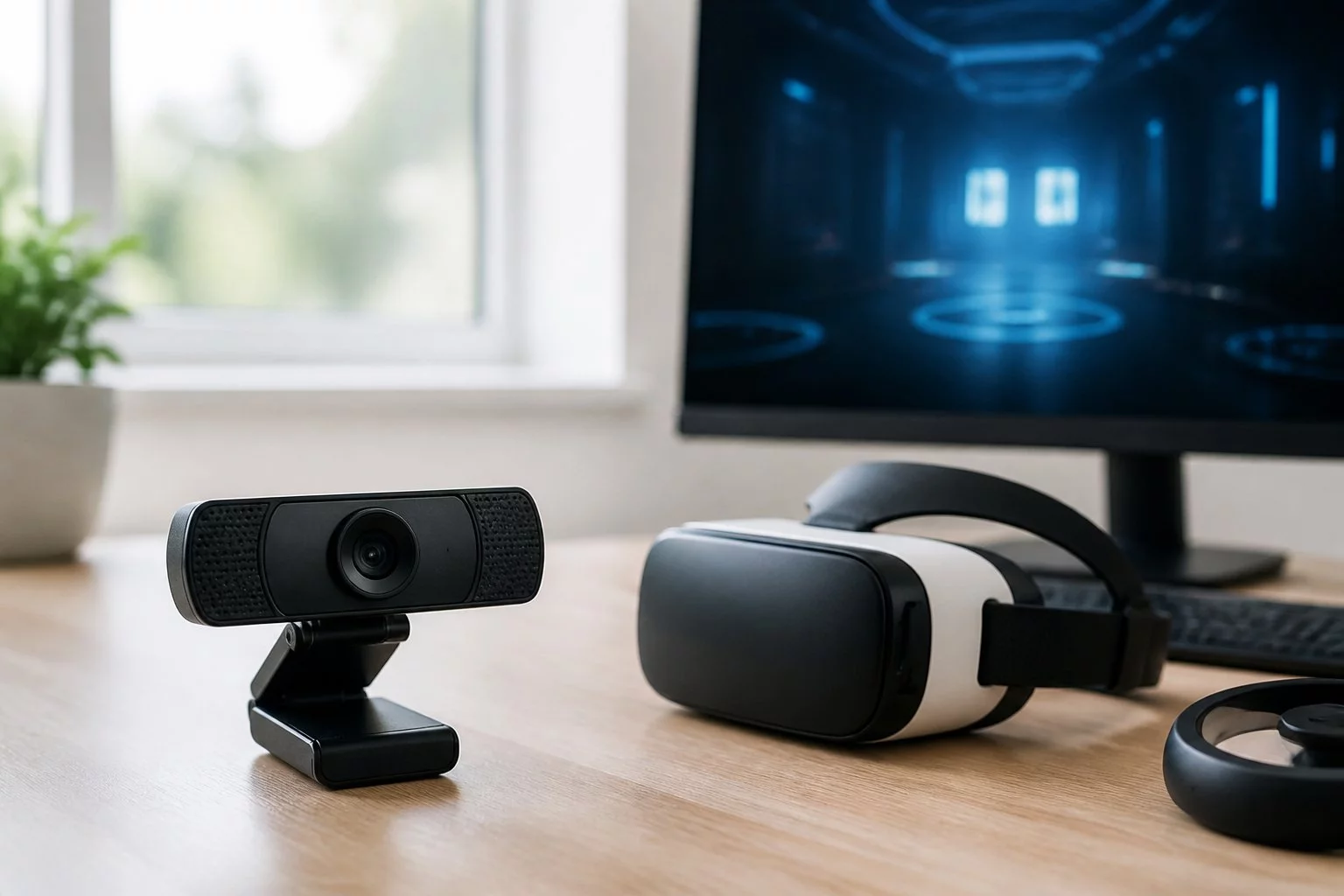
Discover What Webcams Are Best for Virtual Reality Streaming
Best Camera for VR Streaming: 180°, 360° and Live Setup Guide
Best Camera for VR Streaming: 180°, 360° and Live Setup Guide
The best camera for VR streaming is not necessarily the one with the highest advertised resolution. It is the camera that can deliver your intended live video format through a compatible streaming platform and into the viewer's headset.
A consumer 360-degree camera might record impressive 8K footage but provide a lower-resolution output when used as a live webcam. A conventional 4K webcam may produce excellent flat video without capturing an immersive VR scene. And a camera advertised as VR-compatible may still require specialist software or a particular streaming workflow.
Before buying equipment, decide whether you need ordinary 2D video, panoramic 360-degree coverage, stereoscopic VR180 or a more specialised stereoscopic 360-degree system.
This guide compares camera types, explains live streaming specifications and shows how to test a complete setup using compatible capture hardware, encoding software and headset playback.
It is written for adult performers aged 18 and over researching cameras for live VR-compatible broadcasts.
Important: The named products in this article are technical examples, not independently tested recommendations or a current ranking of the best cameras. VRStrip.Cam does not establish universal equipment requirements for third-party streaming platforms.
What Is the Best Type of Camera for VR Streaming?
The best camera type depends on the experience you want viewers to receive.
| Your Goal | Camera Type | Most Important Check |
|---|---|---|
| High-quality conventional webcam show | Standard 2D webcam | Stable live output supported by the platform |
| Live panoramic view around the camera | Compatible 360° camera | Live panoramic output and correct player projection |
| Forward-facing immersive video with depth | Stereoscopic VR180 camera | Separate eye views available during live output |
| Full-surround video with stereoscopic depth | Specialised stereoscopic 360° capture system | Live stereo capture, stitching and platform support |
Buying rule: Confirm the platform's accepted live formats before choosing a camera. Recording specifications alone cannot establish compatibility.
Which Camera Type Should Beginners Investigate First?
If your platform only supports ordinary webcam input, start by evaluating reliable conventional cameras rather than paying for immersive features that viewers cannot use.
If the platform explicitly supports panoramic live video, investigate a compatible 360-degree camera.
If your goal is binocular depth, check for genuine live stereoscopic output rather than assuming that a two-lens camera provides it.
1. Compare 2D, VR180 and VR360 Cameras
Camera format determines the type of image captured and what viewers may experience through a compatible player.
Conventional 2D Webcams
A standard webcam captures a rectangular image with a comparatively narrow field of view.
It can provide excellent live video, but it does not automatically create an immersive 180-degree or 360-degree experience.
Viewers may watch conventional video on a virtual screen inside a headset. That is still 2D video rather than an immersive capture of the surrounding environment.
VR180 Cameras
A VR180 camera captures a wide forward-facing hemisphere.
Some VR180 systems provide separate views for the left and right eyes, allowing stereoscopic depth when the entire playback workflow supports it.
This format can suit scenes primarily arranged in front of the camera.
However, check whether the camera supports stereoscopic output while streaming live, not just when recording to internal storage.
360-Degree Cameras
A 360-degree camera captures the surrounding scene.
Many consumer models use opposing lenses and software stitching to create a panoramic image.
These systems often produce monoscopic video rather than separate eye views.
They can allow a viewer to look around a scene without necessarily creating binocular depth.
Stereoscopic 360-Degree Camera Systems
Stereoscopic 360-degree capture is more technically demanding because the system needs to preserve suitable left-eye and right-eye perspectives across the surrounding scene.
It may require multiple sensors, synchronisation, specialised stitching and more demanding processing.
Confirm that the entire system supports the intended live output before purchasing.
Is 360° Better Than 180° for VR Streaming?
Not automatically.
A 360-degree format captures more directions, but its available resolution is distributed over a larger viewing area.
A suitable stereoscopic VR180 system may provide a more focused immersive experience for a forward-facing scene.
The right choice depends on framing, depth requirements, available bandwidth and the hosting provider's supported formats.
2. Stereo vs Mono: What Makes VR Video Feel Three-Dimensional?
Monoscopic and stereoscopic video describe how visual information is presented to the viewer's eyes.
Monoscopic Video
Monoscopic video uses one image for both eyes.
With suitable panoramic playback, the viewer may look in different directions, but the video does not provide separate left-eye and right-eye perspectives for binocular depth.
Stereoscopic Video
Stereoscopic video uses different perspectives for the left and right eyes.
When captured, encoded and displayed correctly, these perspectives can create a stronger sense of depth.
Suitable cameras, lens geometry, alignment and processing are important.
Does Having Two Lenses Mean a Camera Is Stereoscopic?
No.
Many consumer 360-degree cameras have two lenses pointing in opposite directions. Their images are combined into one panoramic view.
That is different from capturing separate left-eye and right-eye perspectives.
Check the exact model's documentation rather than relying on lens count.
| Feature | Monoscopic VR | Stereoscopic VR |
|---|---|---|
| Eye views | One shared image | Separate left and right views |
| Binocular depth | Not provided through separate camera views | Can provide binocular depth |
| Capture system | Suitable panoramic camera | Suitable stereo camera arrangement |
| Processing | Projection and stitching as required | May require stereo alignment and additional processing |
| Live compatibility | Platform-dependent | Platform-dependent |
3. VR Video Projection: Equirectangular and Side-by-Side Formats
A camera can capture panoramic video correctly while the receiving platform displays it incorrectly.
That often happens because the video projection or stereo layout is not supported or identified properly.
What Is Equirectangular Video?
Equirectangular projection is a common way to represent spherical video as a rectangular image.
Horizontal and vertical positions in that image correspond to directions around the captured scene.
When interpreted by compatible playback software, the image can be mapped onto a virtual sphere.
If the player treats the same image as ordinary flat video, viewers may see a stretched panoramic rectangle rather than an immersive scene.
What Is Side-by-Side Stereoscopic Video?
Some stereoscopic formats arrange the left-eye and right-eye images next to each other within a video frame.
Other layouts may use top-and-bottom arrangements or separate video streams.
The viewing application must know which layout is being used.
Why Projection Matters Before Buying a Camera
Do not assume that a streaming platform accepting a standard video input can automatically recognise VR180, VR360 or stereoscopic layouts.
Ask which projection and stereo formats are accepted and how the provider delivers them to compatible viewers.
4. Field of View: Why Wider Does Not Always Mean Sharper
Field of view describes how much of the surrounding scene a camera captures.
Conventional webcams typically cover a comparatively narrow angle, while immersive cameras may capture approximately 180 or 360 degrees.
Why Panoramic Resolution Can Look Softer
When the same number of pixels is distributed across a wider area, fewer pixels may represent the part of the scene a viewer is currently looking at.
That helps explain why a high-resolution panoramic stream may appear softer than a conventional webcam feed.
Perceived sharpness also depends on lens quality, compression, lighting, projection and display hardware.
Example: Logitech StreamCam
The Logitech StreamCam is an example of a conventional webcam, not an immersive VR camera.
Its manufacturer-published field of view has been listed at approximately 78 degrees.
This makes it a useful comparison for understanding how a conventional webcam differs from panoramic capture.
Check current specifications for the exact model before purchasing.
5. Recording Resolution vs Live Streaming Resolution
One of the most important specifications for a camera for VR streaming is the maximum resolution available through its actual live output.
That can be very different from its maximum recording resolution.
Why an 8K Camera Might Not Stream Live in 8K
A camera may record high-resolution footage internally but provide lower-resolution output through USB webcam mode, HDMI or network streaming.
Live modes may also use different aspect ratios, projections or frame rates.
Example: Insta360 X4
Insta360 has advertised the X4 with 360-degree recording capability up to 8K at 30 frames per second.
Its published webcam and OBS guidance has described lower-resolution panoramic live-output workflows, including a 2880 × 1440 configuration.
This illustrates why recording specifications should not be treated as live streaming specifications.
Firmware, software versions and connection modes can affect available configurations. Check the current manufacturer's instructions for the exact workflow.
Specifications to Verify
- Maximum recording resolution.
- Maximum live-output resolution.
- Supported frame rates for each output mode.
- USB webcam video formats.
- HDMI or network output capabilities.
- Whether stitching occurs live.
- Whether stereoscopic views are available live.
- Firmware and software requirements.
Key distinction: A recording feature is not proof of a compatible live streaming feature.
6. Is 30 fps or 60 fps Better for Live VR Streaming?
Frame rate describes how many video frames are delivered each second.
Common live video configurations include 30 fps and 60 fps, although supported combinations depend on the camera and streaming workflow.
Advantages of Higher Frame Rates
Higher frame rates can make motion appear smoother.
However, they may also require additional processing capacity, bandwidth and compatible hardware.
Why Stable Streaming Matters
A stable stream is generally preferable to a higher specification that repeatedly drops frames or disconnects.
Check the camera's exact resolution and frame-rate combinations rather than assuming its maximum values are available simultaneously.
The originating platform may impose separate frame-rate or encoder limits.
7. How a Complete Live VR Streaming Setup Works
A compatible camera is only one part of a working VR broadcast.
Every stage must preserve the video information needed for the intended immersive experience.
The Six Stages of Live VR Streaming
- Capture: The camera captures the intended mono or stereo scene.
- Processing: Software stitches images, aligns stereo views or prepares the required projection.
- Computer input: Video reaches the streaming computer through a compatible USB, HDMI or network connection.
- Encoding: Software compresses the video using an accepted codec and configuration.
- Platform ingestion: The hosting service receives and processes the stream.
- Playback: The viewer's device displays the correct projection and stereo layout.
A problem at any stage can prevent the intended immersive experience.
Why RTMP Support Alone Does Not Guarantee VR Playback
A streaming platform may accept conventional RTMP video while lacking the player features or metadata handling needed for immersive VR.
The result could be a flat panoramic rectangle rather than a correctly mapped virtual environment.
Confirm both the platform's accepted input and its final playback capabilities.
8. USB Webcam Mode vs HDMI Capture vs Network Streaming
Different cameras provide different methods for sending live video to a computer or streaming service.
USB Webcam Mode
Some cameras operate as USB video devices and can be selected directly in software such as OBS Studio.
This may simplify setup, but webcam mode can limit resolution, frame rate or projection.
HDMI Capture
Some cameras provide HDMI video output.
A compatible capture device can transfer that signal to a computer.
However, a capture device does not automatically create stereoscopic or panoramic video from ordinary flat footage.
Example: Elgato Cam Link 4K
Elgato's Cam Link 4K is an HDMI-to-USB capture accessory.
Its published capabilities include common formats such as 1080p60 and 4K30, subject to compatible equipment and configurations.
It is not a VR camera and does not independently generate immersive content.
Network Streaming
Some cameras or capture systems can send video over a network using supported protocols.
This may reduce the need for a direct video cable but introduces network reliability and compatibility considerations.
| Connection | Potential Advantage | Important Limitation |
|---|---|---|
| USB webcam mode | Potentially straightforward setup | May restrict output resolution or format |
| HDMI capture | Supports compatible camera video outputs | Requires suitable capture hardware and signal |
| Network streaming | Can support remote video transport | Depends on protocols and network stability |
9. Can You Use OBS Studio for VR Streaming?
OBS Studio can form part of a live VR workflow, but selecting a camera as a video source does not automatically create an immersive broadcast.
What OBS Can Help With
- Selecting compatible video sources.
- Configuring resolution and frame rate.
- Managing audio inputs.
- Adjusting encoding settings.
- Monitoring dropped frames.
- Sending video to a supported streaming endpoint.
What OBS Does Not Automatically Do
OBS does not create genuine stereoscopic depth from an ordinary webcam.
It also cannot guarantee that a third-party streaming platform will interpret a panoramic source as immersive VR.
Additional plugins, camera software or specialised processing may be required.
Why the OBS Preview Is Not the Final Test
A source may look correct in OBS while appearing stretched, flattened or incorrectly aligned in the final viewer.
Test the actual playback experience using the device and software viewers are expected to use.
10. How to Test a VR Streaming Camera Before Going Live
A complete compatibility test can reveal problems that camera specifications alone will not show.
Step-by-Step VR Streaming Test
- Confirm the platform format. Obtain its current supported resolution, codec, projection and stereo requirements.
- Configure the camera. Select the intended live-output mode rather than relying on recording settings.
- Check the input. Confirm that the streaming computer receives the expected image dimensions and frame rate.
- Verify stitching and stereo layout. Make sure the required panoramic projection and eye views are preserved.
- Configure the encoder. Use settings supported by the hosting platform.
- Run a permitted test broadcast. Use a private or non-public test environment where the provider allows it.
- Check headset playback. Confirm that the viewer sees the intended coverage, depth and orientation.
- Monitor stability. Check for dropped frames, audio delay, overheating and unexpected disconnections.
What Should You Look for During Playback?
- Does the image display as an immersive scene rather than a flat rectangle?
- Can the viewer look around in the expected directions?
- Are left-eye and right-eye views displayed correctly, if applicable?
- Does the horizon remain correctly oriented?
- Are stitching seams or alignment problems visible?
- Is the video reasonably synchronised with audio?
- Does the stream remain stable over the intended session duration?
If the final playback format is incorrect, identify which stage of the workflow is changing or misinterpreting the video before buying additional hardware.
11. Internet Upload Speed, Latency and Stability
Live immersive video can require substantial bandwidth, especially at higher resolutions and frame rates.
The correct bitrate depends on the codec, format, motion, image complexity and platform limits.
There is no universal bitrate suitable for every VR streaming setup.
Upload Speed Matters More Than Advertised Download Speed
Check the connection's actual upload performance and leave reasonable headroom for network fluctuations.
A wired network connection may offer more consistent performance than Wi-Fi in some environments.
What Is Streaming Latency?
Latency is the delay between capturing an event and the viewer seeing or hearing it.
Processing, encoding, network transmission and playback buffering can all add delay.
Latency is particularly relevant when a live show includes viewer interaction.
Stability Checklist
- Measure actual upload performance.
- Review platform bitrate limits.
- Check connection reliability.
- Monitor dropped frames and encoder warnings.
- Test audio and video synchronisation.
- Observe interaction delay where relevant.
- Run a longer test to identify intermittent problems.
12. Lighting and Room Setup for VR Cameras
Good lighting can improve image quality, but panoramic cameras may capture much more of the room than a conventional webcam.
Lighting a Wide Scene
A 180-degree or 360-degree camera may reveal uneven lighting across a broad area.
Consider:
- Keeping illumination consistent across the intended scene.
- Avoiding strong glare and reflections.
- Reducing harsh exposure differences.
- Positioning lighting equipment safely.
- Checking whether lights appear inside the captured field of view.
- Testing the scene using the actual live-output mode.
Privacy Risks With 360-Degree Capture
A panoramic camera can reveal details that would remain outside a normal webcam frame.
Inspect the full captured view for:
- Addresses and personal documents.
- Photographs or distinctive belongings.
- Reflections in mirrors and windows.
- Computer screens and notifications.
- Identifiable location details.
- Other people who have not consented to appearing.
Read our day in the life of a cam model guide for further preparation advice.
13. Power, Heat and Reliability During Longer VR Streams
Live streaming can place sustained demands on cameras, particularly when panoramic stitching or high-resolution processing is involved.
Check Continuous Power Options
Find out whether the camera supports suitable external power during live operation.
Do not assume a camera designed for short recordings can operate continuously for the duration of your intended broadcast.
Check Overheating and Operating Limits
High processing loads, room temperature and restricted airflow may affect some camera systems.
Review manufacturer guidance for operating conditions and maximum supported recording or streaming durations.
Run a Realistic Duration Test
A short preview may not reveal problems that occur after sustained operation.
Where practical, test the system for a duration similar to your intended session, using manufacturer-approved power and cooling arrangements.
Practical takeaway: Reliable continuous operation matters as much as the camera's headline specifications.
14. VR Streaming Camera Examples and What to Verify
The following equipment illustrates different camera and capture categories.
These are not independently tested rankings, and they should not be interpreted as guaranteed recommendations for a particular adult streaming platform.
| Example | Equipment Type | What to Verify Before Buying |
|---|---|---|
| Logitech StreamCam | Conventional 2D webcam | Supported live resolution, frame rate and field of view |
| Insta360 X4 | Consumer 360° camera | Actual live-output resolution, webcam mode and panoramic projection |
| Elgato Cam Link 4K | HDMI capture accessory | Compatible camera output and supported capture formats |
| Specialised VR180 camera | Potential stereoscopic VR capture system | Whether live stereo output is available |
| Specialised stereoscopic 360° rig | Multi-view immersive capture system | Live stitching, synchronisation, stereo layout and platform compatibility |
Camera firmware, product availability and software compatibility can change.
Always check the current specifications for the exact equipment and intended live workflow.
15. Questions to Ask Before Buying a VR Streaming Camera
If a product listing does not provide enough technical detail, ask the manufacturer or hosting platform for clarification.
Questions for the Camera Manufacturer
- Does this model support continuous live video output?
- What is the maximum live resolution and frame rate?
- Does live output preserve 180° or 360° projection?
- Is the live output monoscopic or stereoscopic?
- What stereo layout or projection format is used?
- Is stitching performed inside the camera or through additional software?
- Which USB, HDMI or network output modes are supported?
- Can the camera operate continuously using external power?
- Are there thermal or duration limitations?
- Which firmware and software versions are required?
Questions for the Streaming Platform
- Do you accept immersive VR180 or VR360 live streams?
- Which projections and stereo layouts are supported?
- What codecs, resolutions, frame rates and bitrates are accepted?
- How is VR metadata handled?
- Does your player support stereoscopic headset viewing?
- Can I test the workflow before broadcasting publicly?
- Are any particular camera models or encoders officially supported?
Keep written confirmation of important compatibility requirements where possible.
16. VR Streaming Camera Buying Checklist
| Buying Question | Why It Matters |
|---|---|
| Does the platform support live VR input? | Unsupported playback cannot be fixed by camera specifications alone |
| Do I need VR180 or VR360? | Determines the required capture coverage |
| Do I need stereoscopic depth? | Determines whether separate eye views are required |
| What resolution is available live? | Recording resolution may be substantially higher |
| Which frame rates are supported? | Resolution and fps limits are often linked |
| Does the camera stitch video live? | Additional processing may otherwise be necessary |
| What projection does it output? | The receiving player must interpret the video correctly |
| How does it connect? | USB, HDMI and network modes have different requirements |
| Can my encoder accept the format? | The processing chain must preserve the intended image |
| Can I test headset playback? | Final viewing is the best practical compatibility check |
| Can the camera operate continuously? | Power and thermal limitations can interrupt longer sessions |
| Is the room suitable? | Lighting, privacy and camera placement affect the broadcast |
If the hosting platform cannot confirm that it accepts the intended immersive format, avoid purchasing specialist equipment solely on the assumption that it will work.
17. Platform Rules, Verification and Accurate VR Claims
Technical compatibility is only one part of preparing a live adult webcam broadcast.
All participants must comply with applicable law and the originating platform's rules.
Requirements to Check
- Age and identity verification for every participant.
- Approved performer and co-performer account arrangements.
- Rules about prerecorded material presented as live.
- Accurate descriptions of video and VR features.
- Permitted recording and redistribution.
- Account security requirements.
- Content, consent and privacy policies.
Do not describe ordinary flat video as stereoscopic immersive VR when it does not provide that experience.
VRStrip.Cam's community guidelines explain directory-related expectations, but the originating provider controls its own broadcast requirements.
VRStrip.Cam does not independently verify every performer or certify every third-party stream's technical specifications.
Frequently Asked Questions About the Best Cameras for VR Streaming
What Is the Best Camera for VR Streaming?
There is no universal best camera. Choose based on the required live format, platform compatibility, budget and intended viewing experience.
Can I Use a Normal Webcam for VR Streaming?
A normal webcam can supply 2D video that viewers may watch inside a VR headset, but it does not automatically create immersive VR180 or VR360 footage.
What Is the Difference Between VR180 and VR360 Cameras?
VR180 captures a wide forward-facing area, while VR360 captures views around the camera. Either format may be monoscopic or stereoscopic depending on the capture system.
What Does Stereo vs Mono Mean?
Monoscopic video uses one shared image. Stereoscopic video provides separate eye views that can create binocular depth.
Does a Two-Lens 360 Camera Produce Stereoscopic VR?
Not necessarily. Many dual-lens 360-degree cameras combine opposing views into one monoscopic panorama.
Can I Use a 360 Camera as a Webcam?
Some models offer USB webcam or other live-output modes. Check the exact manufacturer's specifications.
Does an 8K Camera Stream Live in 8K?
Not necessarily. Recording and live-output resolutions can differ substantially.
Can the Insta360 X4 Be Used With OBS?
Insta360 has published X4 webcam and OBS workflows. Verify current firmware and software requirements before relying on a particular output configuration.
Do I Need a Capture Card for VR Streaming?
Only if your chosen workflow requires compatible capture hardware. Some cameras offer direct USB or network output.
Does HDMI Capture Automatically Create VR Video?
No. A capture device transfers an existing video signal; it does not automatically create panoramic coverage or stereoscopic depth.
Can OBS Stream 360-Degree Video?
OBS may be part of a compatible panoramic workflow, but correct capture, projection, encoding and platform playback are also required.
What Is Equirectangular VR Video?
It is a common rectangular representation of spherical video that compatible software can map onto a virtual sphere.
Is Side-by-Side Video Always Stereoscopic?
No. A side-by-side layout must contain suitable distinct left-eye and right-eye perspectives to provide stereoscopic depth.
Is 60 fps Better Than 30 fps?
Higher frame rates can improve motion smoothness but require compatible equipment and adequate processing and bandwidth. Stable delivery remains important.
Why Does 360-Degree Video Sometimes Look Blurry?
Resolution is distributed across a large viewing area. Optics, compression, lighting and playback can further affect sharpness.
Can VR Cameras Overheat During Long Streams?
Some systems may have thermal or continuous-operation limitations. Check the manufacturer's guidance and test the intended session duration.
Does a VR Badge Guarantee 360-Degree Stereoscopic Video?
No. Verify the actual format and playback features with the originating provider.
Does VRStrip.Cam Publish Universal Camera Requirements?
No. The originating streaming service determines its supported input formats and broadcasting requirements.
Do All Performers Need Age and Identity Verification?
Participants must satisfy the hosting provider's applicable adult age and identity-verification requirements and relevant legal obligations.
Choose the Live VR Format Before Choosing the Camera
The most important specification for a VR streaming camera is not its maximum advertised recording resolution.
It is whether the camera can deliver the required live format through a compatible capture, processing, encoding and playback workflow.
Start by choosing between conventional video, VR180 and VR360. Then decide whether stereoscopic depth is necessary.
Check live resolution, frame rate, projection, connections, bandwidth, power and the originating platform's requirements.
Finally, test the complete setup on a compatible viewing device before relying on it for a public broadcast.
Explore More VR Streaming Guides →
VRStrip.Cam is an independent adult webcam affiliate directory intended for adults aged 18 and over. We may earn commissions from qualifying referrals to third-party platforms. We do not host broadcasts, operate performer accounts, independently test the products mentioned or guarantee third-party streaming compatibility. Camera specifications are illustrative and should be checked against current manufacturer documentation before purchasing.
Ready to experience live VR cams?
Enter Live VRStrip.Cam Free