
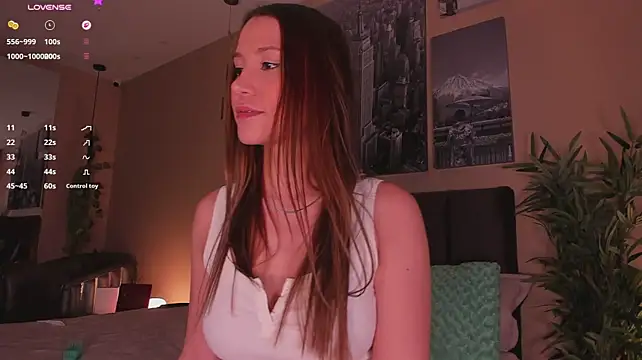





What this hub shows
The rooms here are live performers running their own strip shows, from a slow tease to a full undress. Each one decides how their show goes, when clothes come off and what the tip menu offers. Some rooms are filmed for VR and some aren't, and the badge is how you tell them apart.
- VR badge. A 360° stream that becomes an immersive scene once you're in a headset.
- No badge. The room plays as a normal video, in a headset browser or on any screen.
- VR Only tab. Choose it on the live page and unbadged rooms drop out of view.
Choosing a room
With many rooms live at once, a little scanning saves time.
- Filter to VR first. Use the VR Only tab if you plan to watch in a headset.
- Read the room topic. It's the line where performers often say what's on now or coming next.
- Check the tags. Room cards list tags so you can match a show to your taste.
- Look at the tip menu. Once inside, the room description lists what each tip buys.
- Stay a while. A strip show builds, so give a room a few minutes before moving on.
To narrow things further, the categories page groups rooms by tag, and couples rooms have their own section.
Kinds of strip show to look for
Different guides on VRStrip.Cam go into each style of show:
- VR striptease for a single performance that builds slowly to the reveal.
- VR lap dance for a performer moving right up to the lens, often one-to-one.
- VR strip club for hopping between rooms through an evening.
- Lovense rooms where tips set off an interactive toy at levels the performer chooses.
Watching in a headset
Load VRStrip.Cam in the browser built into your headset, choose a badged room and enter VR. According to the newcomer guide, the scene loads quickly and messages float within it. If you use a Meta Quest 3, the Quest 3 guide covers comfort and privacy on a shared headset.
Tips, privates and spy mode
Public shows run on tips. Performers set their own prices, and an action happens only when you tip the full listed amount. If you'd like a performer to yourself, a private costs a token amount per minute that each performer fixes.
A private is not hidden from everyone. Through spy mode, which the newcomer guide covers, outsiders can buy a reduced-price, watch-only seat. The private shows page has the booking details.
Ground rules
- Performers set the limits. Tips buy what's on the menu and nothing else.
- No recording. Don't capture or share any show.
- No personal questions. Leave performers' real names and locations alone, and protect your own.
The community guidelines list the full rules. In its footer, VRStrip.Cam states that referrals can earn it commission and that no cam platform owns or runs it.
Browse live VR strip cam rooms now
FAQ
Which rooms stream in VR?
Badged rooms are the 360° ones. Pick VR Only on the live listings to filter everything else out.
Is it free to watch?
Public shows cost nothing, account or not. Registering is free and gives you chat, tipping and privates, which you pay for in tokens.
Will it work without VR goggles?
Yes. Every room plays in a phone or computer browser. A headset is only needed for the immersive view in badged rooms.
How do I pick a good room?
Narrow the list to VR, scan topics and tags, then open the tip menu inside a room. Give a show a few minutes to build.
Can anyone else watch my private show?
Possibly. Spy mode gives paying spectators a silent view of private sessions.
How does the site check ages?
Performers confirm they're over 18 with government ID, VRStrip.Cam says, and viewers have to be adults as well.